
Glory Casino login — sign in and fix the usual snags
Logging in to Glory is normally 5 seconds of work. When something goes wrong though — usually a wrong password, a missing 2FA app, or just a typo — the recovery flow is fine but takes longer than people expect. Below is the actual login process and what to do when it breaks. If you don't have an account yet, you want the the account registration process first. If you arrived here without context, the Glory Casino Bangladesh home page covers what the brand actually offers.
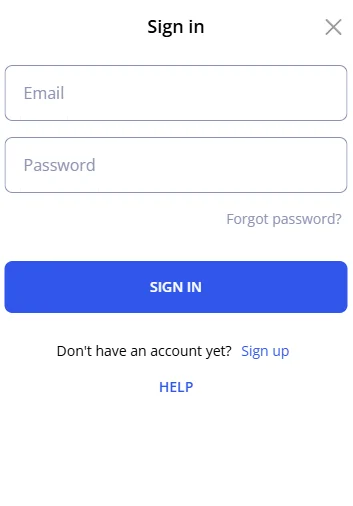
The basic login — 30 seconds
Open Glory
Either glorycasino.net in any browser or the mobile app if you've installed it.
Click Login (top-right)
The login modal slides in. On mobile it's a full-screen overlay.
Enter email or phone + password
You can log in with either — whichever you registered with. Phone numbers should include the country code (+880 for BD).
2FA code if you set it up
If you enabled 2FA (recommended), grab the 6-digit code from Google Authenticator, Authy, or your SMS. Enter it, you're in.
Biometric login on the app
Once you've logged in successfully on the Glory mobile app (Android APK or iOS PWA) once, you can enable fingerprint or Face ID. Settings → Security → Enable biometric login. After that, opening the app is instant — no password retyping. Works offline too (the biometric check is on-device).
One catch: biometric login only opens the session. To deposit via the the deposit page, complete a payout from the the cashout guide, or change account settings you still need to type your password. That's intentional — protects you if someone grabs your unlocked phone.
Forgot password — the recovery flow
Click "Forgot password?"
It's right below the password field on the login screen.
Enter your registered email
Must be the email you used at signup. Phone-only accounts use a different flow — see below.
Check your inbox (and spam)
Reset link arrives within 1-2 minutes. The link is valid for 24 hours. About 30% of people find it in spam — check there before requesting a resend.
Set a new password
Minimum 8 characters with a number and a special character. Don't reuse your old one.
Log in with the new password
Done. If you have 2FA, you'll still need the code from your authenticator app.
Phone-only accounts — SMS recovery
If you registered with phone instead of email, the "Forgot password" flow sends a 6-digit code by SMS to your registered number. Same idea, just faster. The code is valid for 10 minutes. If your SIM is no longer active or you've changed numbers — you'll need to contact live chat with your NID for identity verification (24-48 hour resolution).
Common login problems and how to fix them
"Invalid credentials"
99% of the time this is one of three things: caps lock on, typo in the email, or you're using a password from a different site (we all do this). Try the password reset before anything else — it's faster than guessing.
"Too many login attempts"
Glory locks the account for 15 minutes after 5 wrong attempts. The lock auto-clears — just wait. Don't keep trying, that resets the counter to zero of the wait. If you genuinely can't remember the password, do the reset.
2FA code not working
Two reasons usually: phone time is out of sync (open authenticator app, check the seconds counter — should match the website), or you have multiple Glory accounts in your authenticator and you grabbed the code from the wrong one. If neither — message live chat with your account email, they can disable 2FA after identity check.
"Suspicious activity — account locked"
Triggers when you log in from a new country (e.g. you travelled and tried to log in from UAE). Email confirmation re-opens the account. If you're stuck in a VPN-related case, live chat needs your NID photo and 24-48 hours to verify. Once unlocked you'll want to head to the bonus offers hub to check whether any reload you were stacking is still claimable, or jump straight into a session on the Aviator game page if your bankroll is intact.
Login security — what's worth enabling
- 2FA via authenticator app — not SMS. SMS can be sim-swapped. Google Authenticator and Authy are free, take 30 seconds to set up
- Login alerts — Account → Security → Email me about new device logins. Lets you catch unauthorized access fast
- Active sessions review — Account → Security → Active devices. Sign out anything you don't recognise
- Unique password — don't reuse your bKash or email password. If one site gets breached, the others are exposed
Login FAQ
Yes — there's a "Remember me" checkbox on the login form. Keeps you signed in for 30 days on that device. Don't use it on shared computers obviously.
Bad situation. Change your password immediately from Account → Security → Change Password (if you can still log in), or do the forgot-password flow if you're locked out. Then enable 2FA. Then check your transaction history for anything unfamiliar — Glory will refund unauthorized cashouts if reported within 24 hours.
Yes, but new countries trigger a "new device" email confirmation. After you confirm, you're in. Glory doesn't block players by location for normal travel — but consistent VPN use to circumvent geo blocks is against terms and gets flagged.
Common after major Android/iOS updates. Fix: log in with password once, go to Settings → Security → Disable biometric, then re-enable it. The fingerprint/Face ID hash gets refreshed.
Most slots demo mode works without login. Live casino, crash games, and sports betting require an account because they're real-money only.